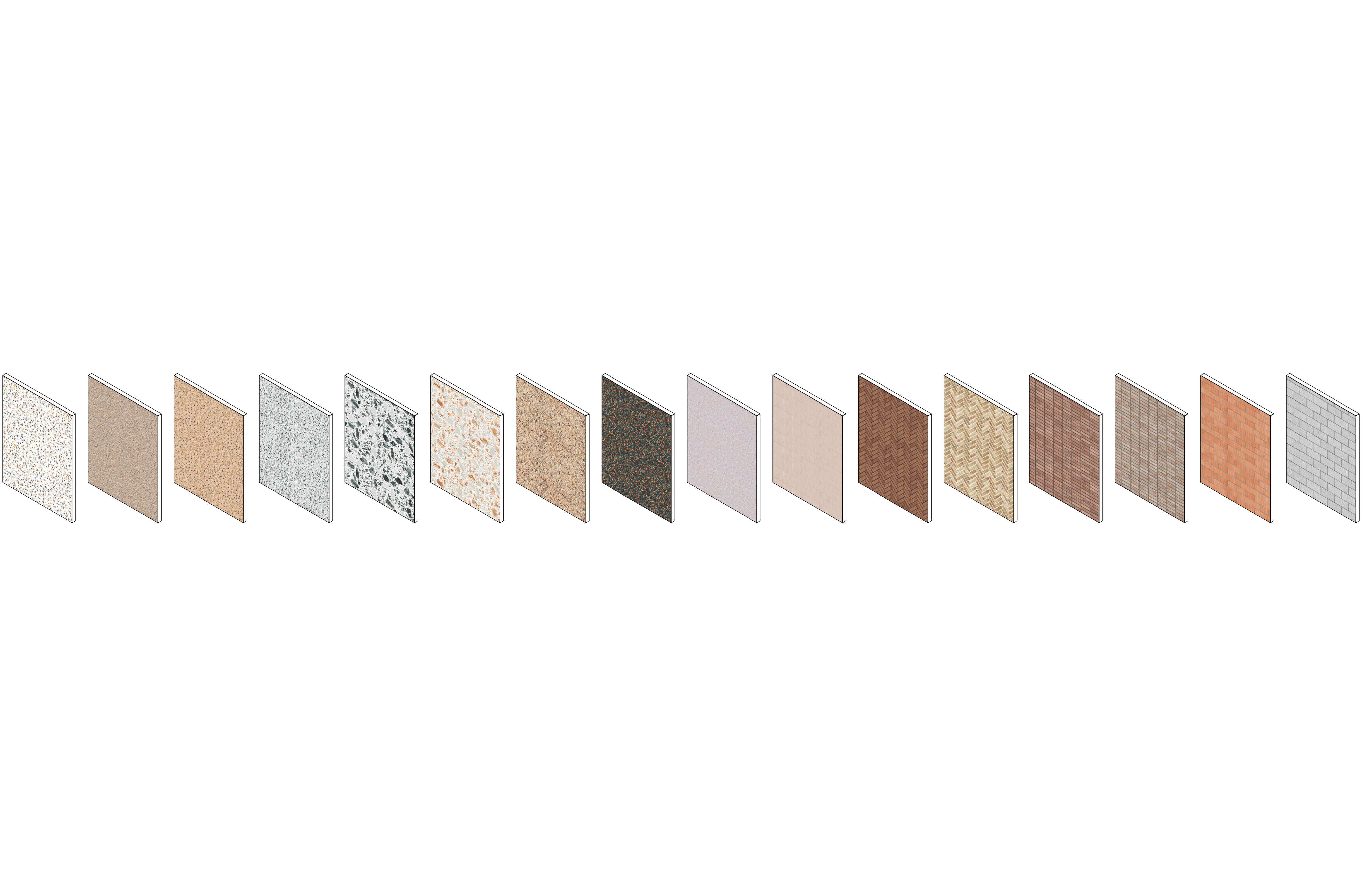
Discover re:Textures
Effortless work
with materialsin Revit
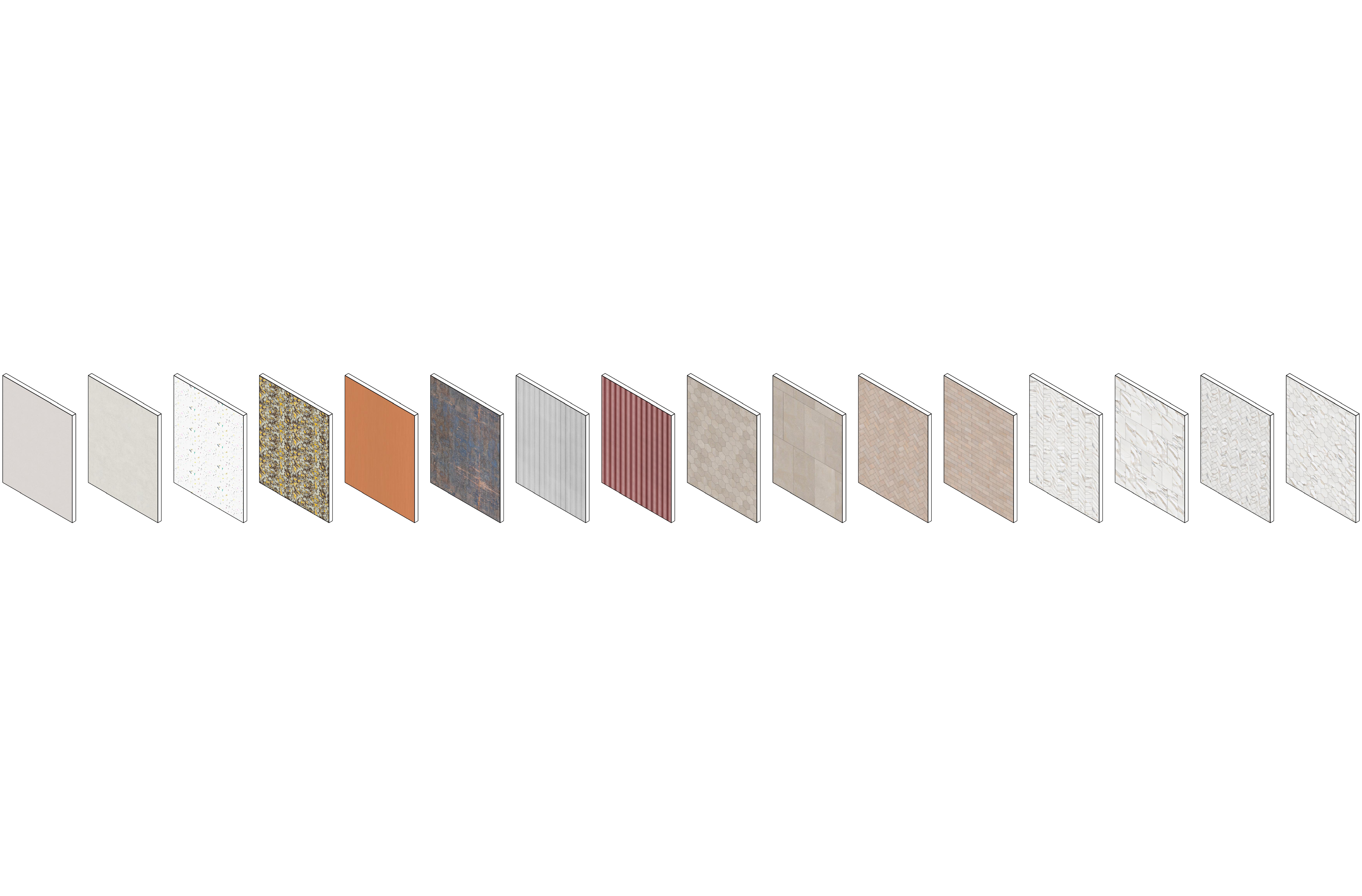
300+ ready-made Revit materials & tutorial
$49.99
Get the full pack
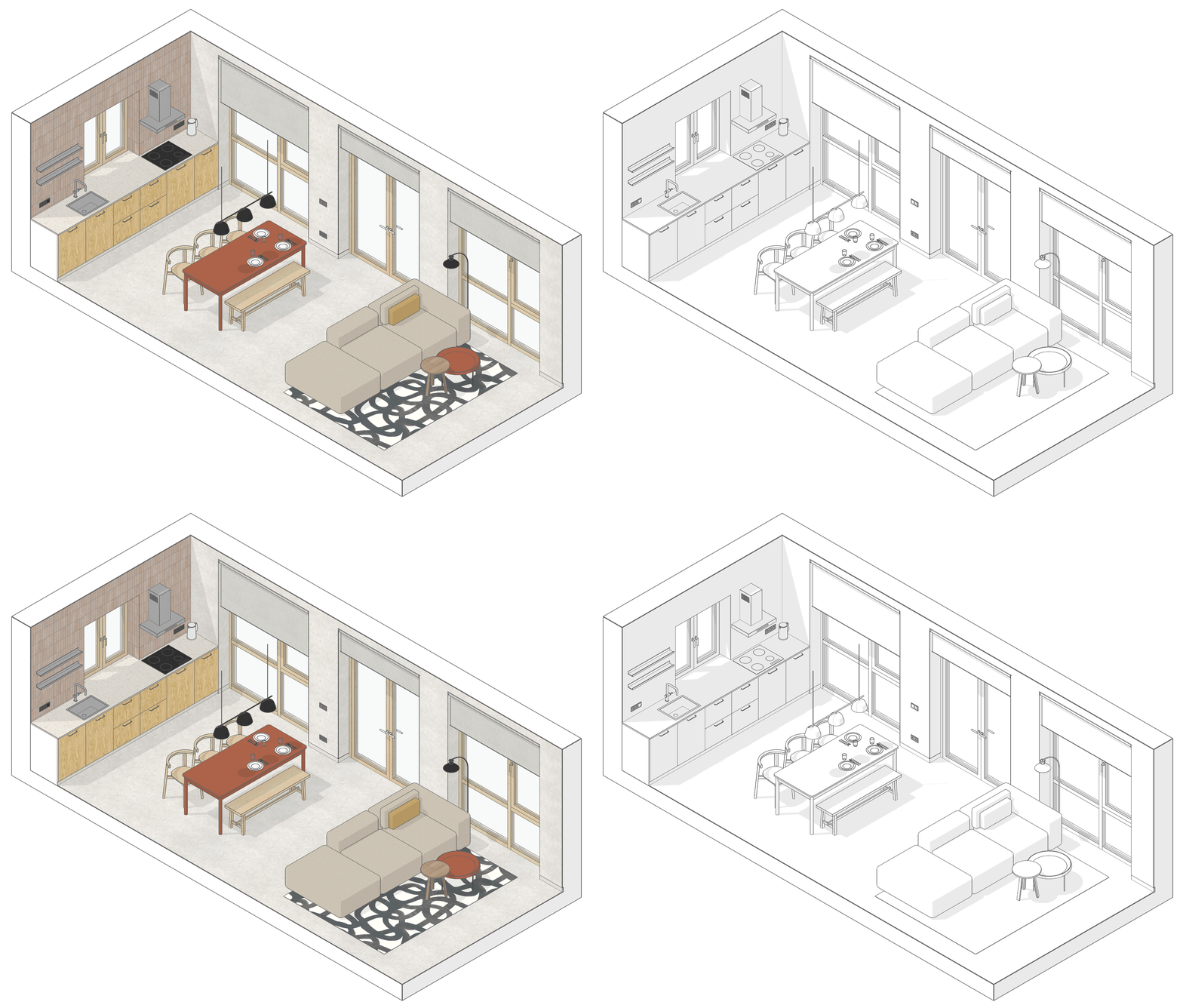
What if your Revit model could speak for itself?
Easily configure materials in Revit

Quickly create and edit textures using the Architextures website
Mix and match different materials with a single click
Customize edges and surface finishes
Adjust joints
Match pattern dimensions perfectly to JPEG textures
no subscription, lifetime access
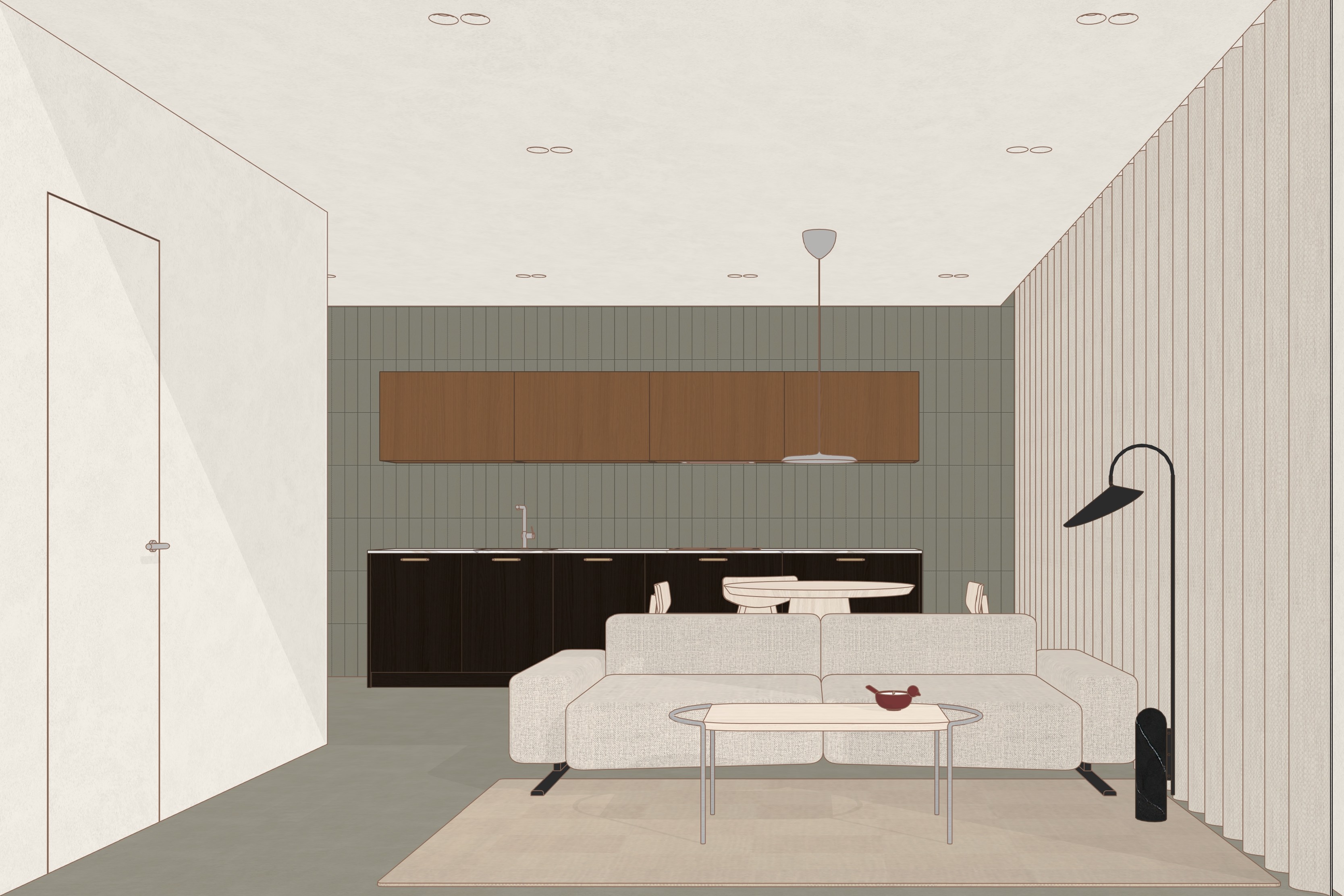
Made with re:Textures

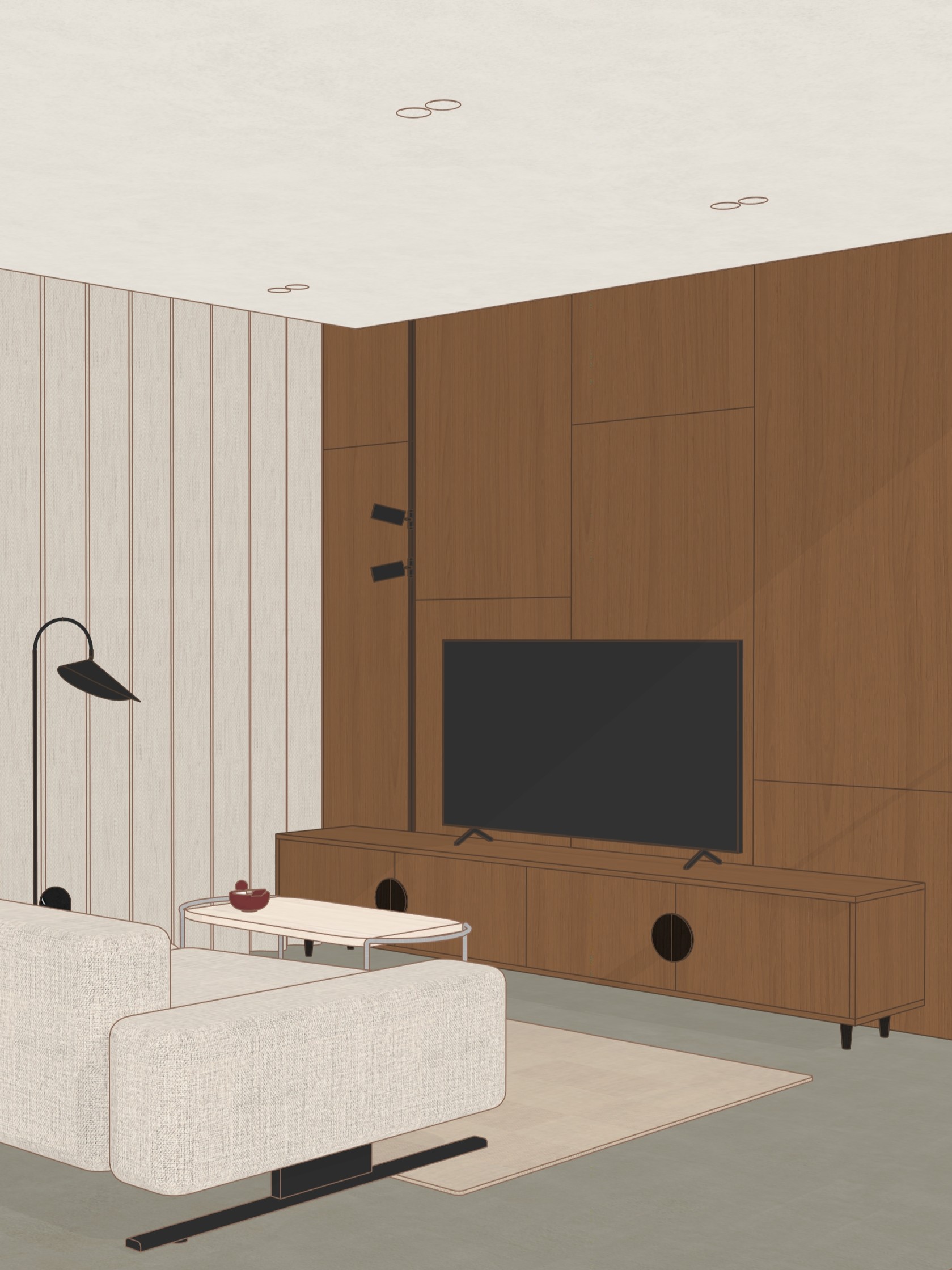
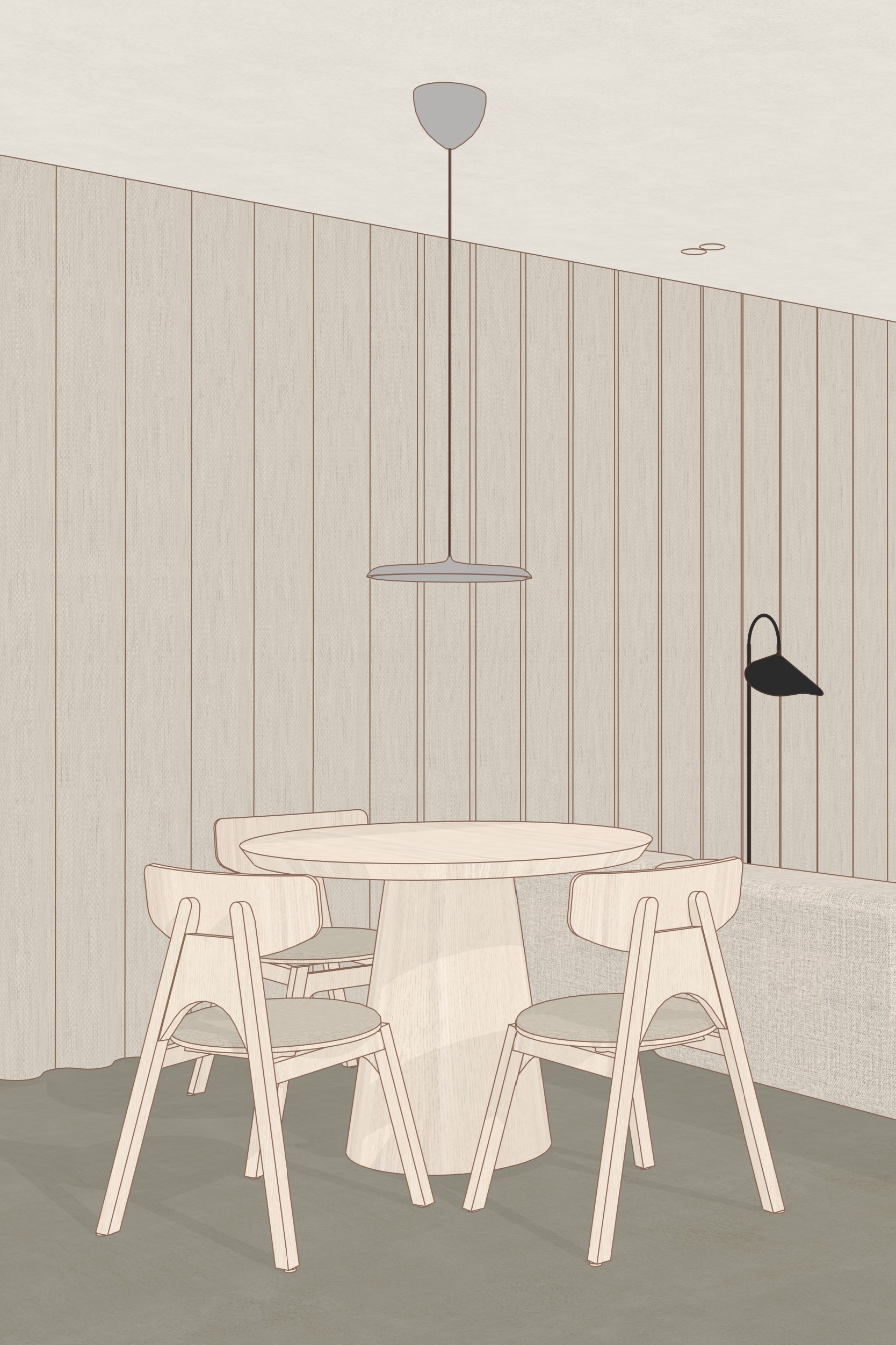
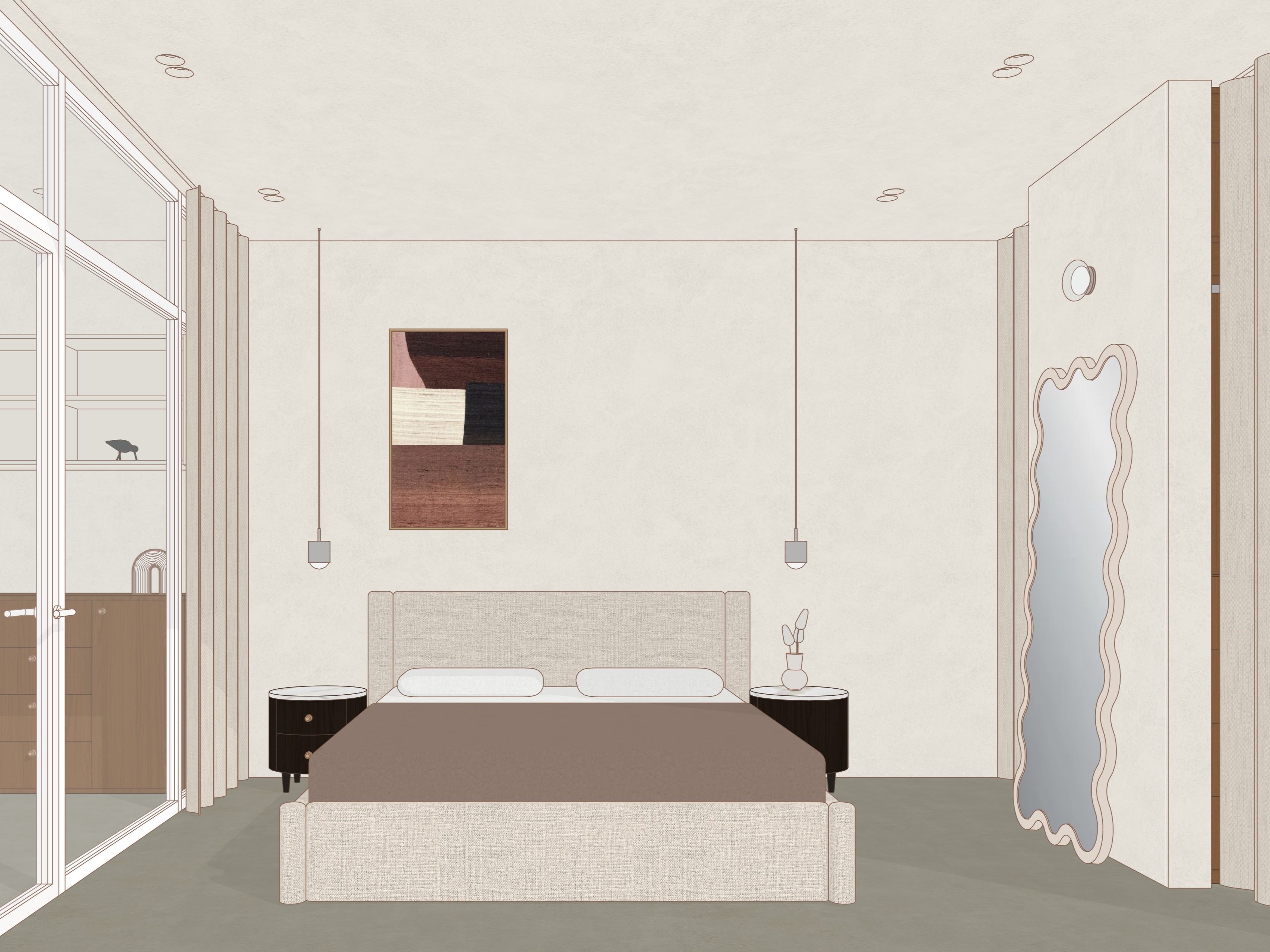

What's Inside?
[01]
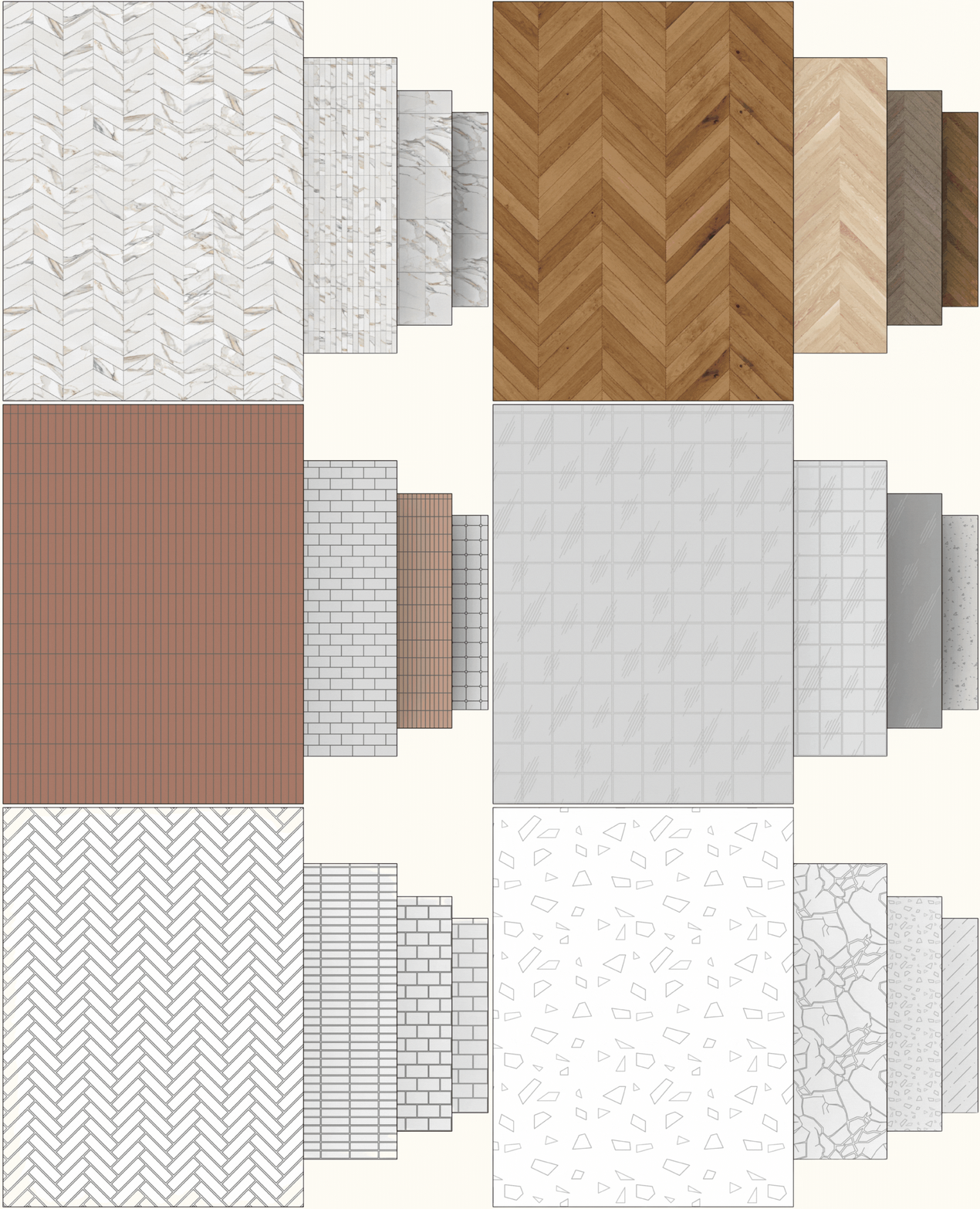
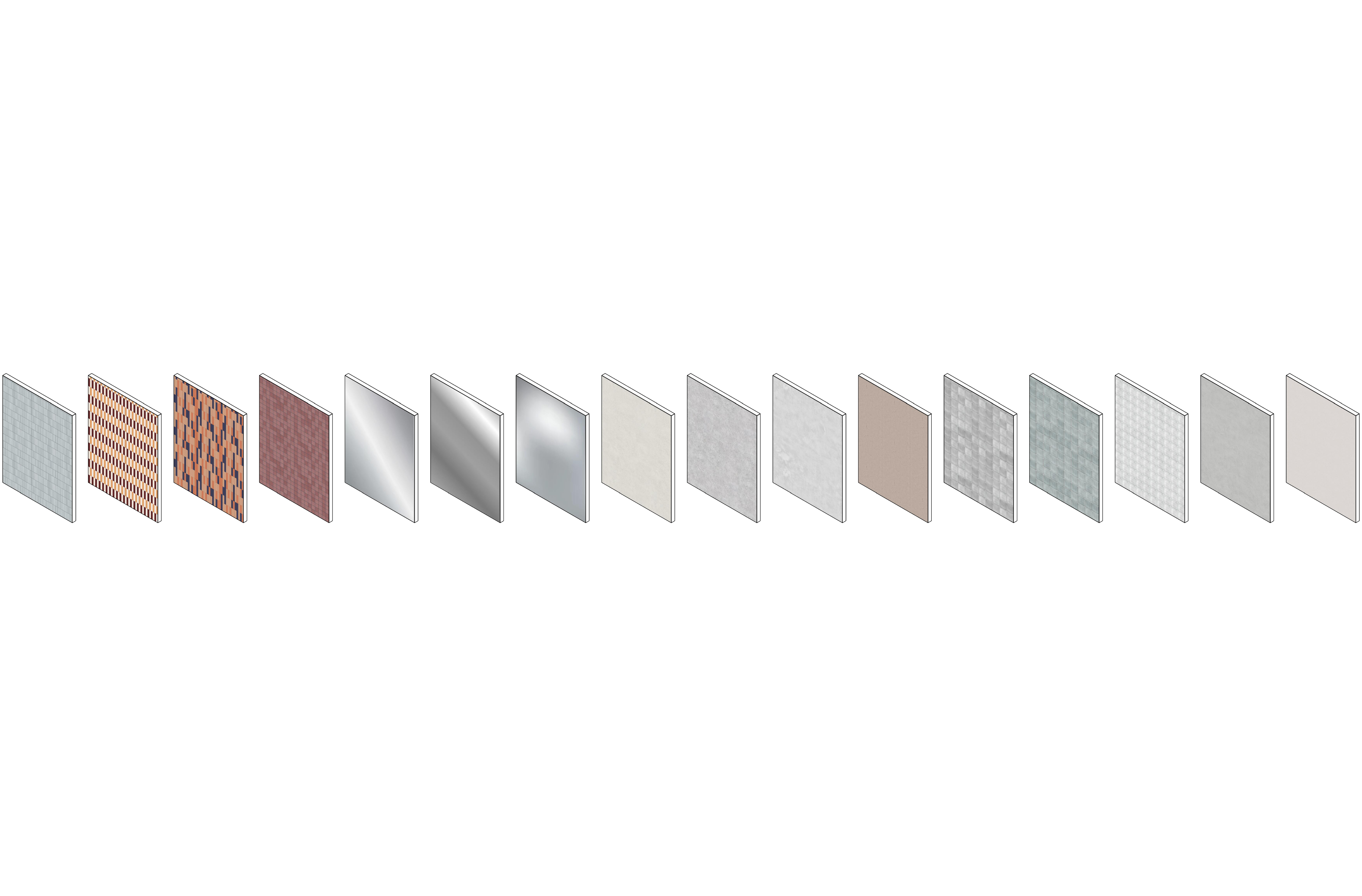
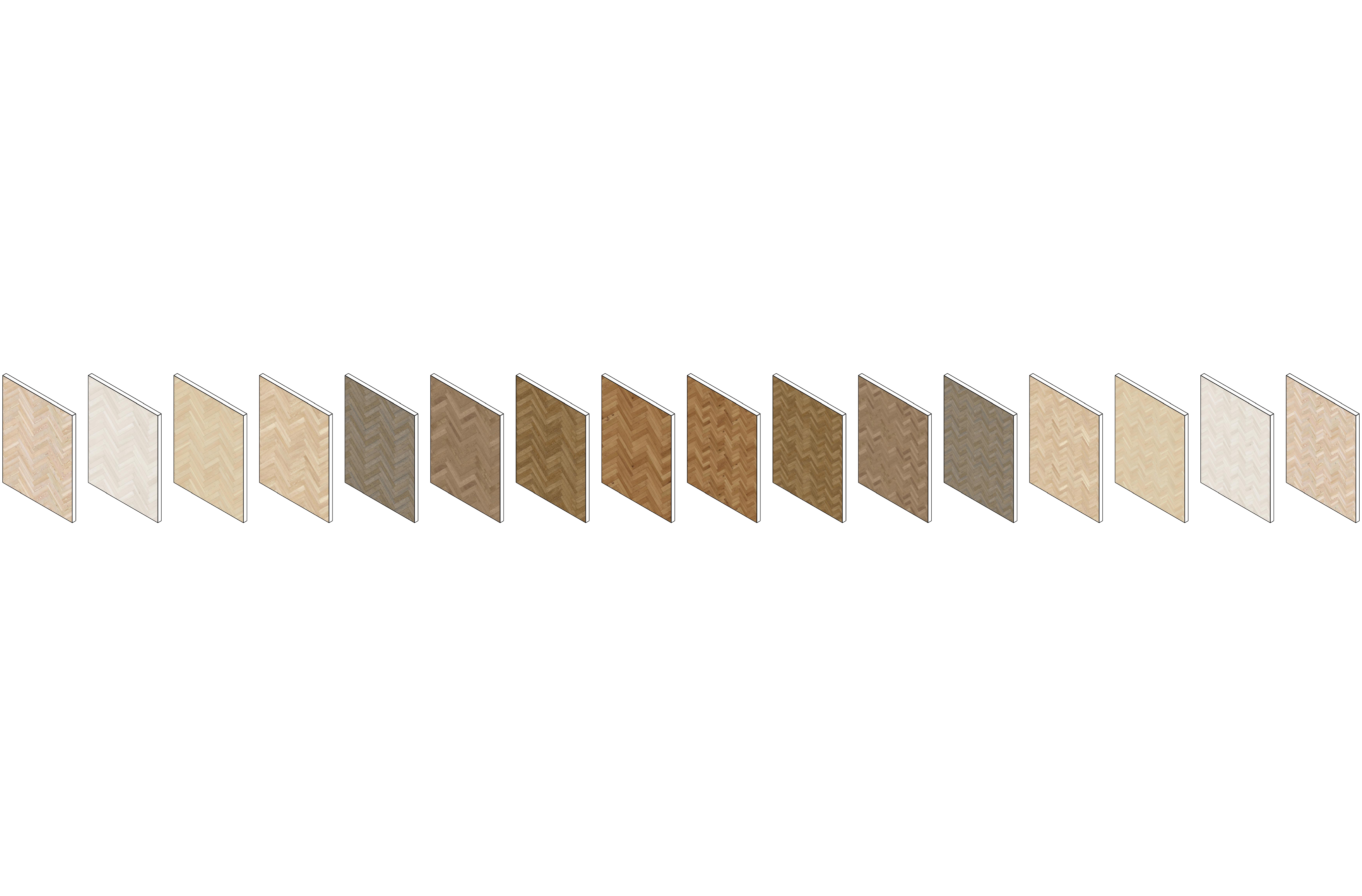
300+ ready-to-use Revit materials, fully configured for different model Visual Styles
[02]
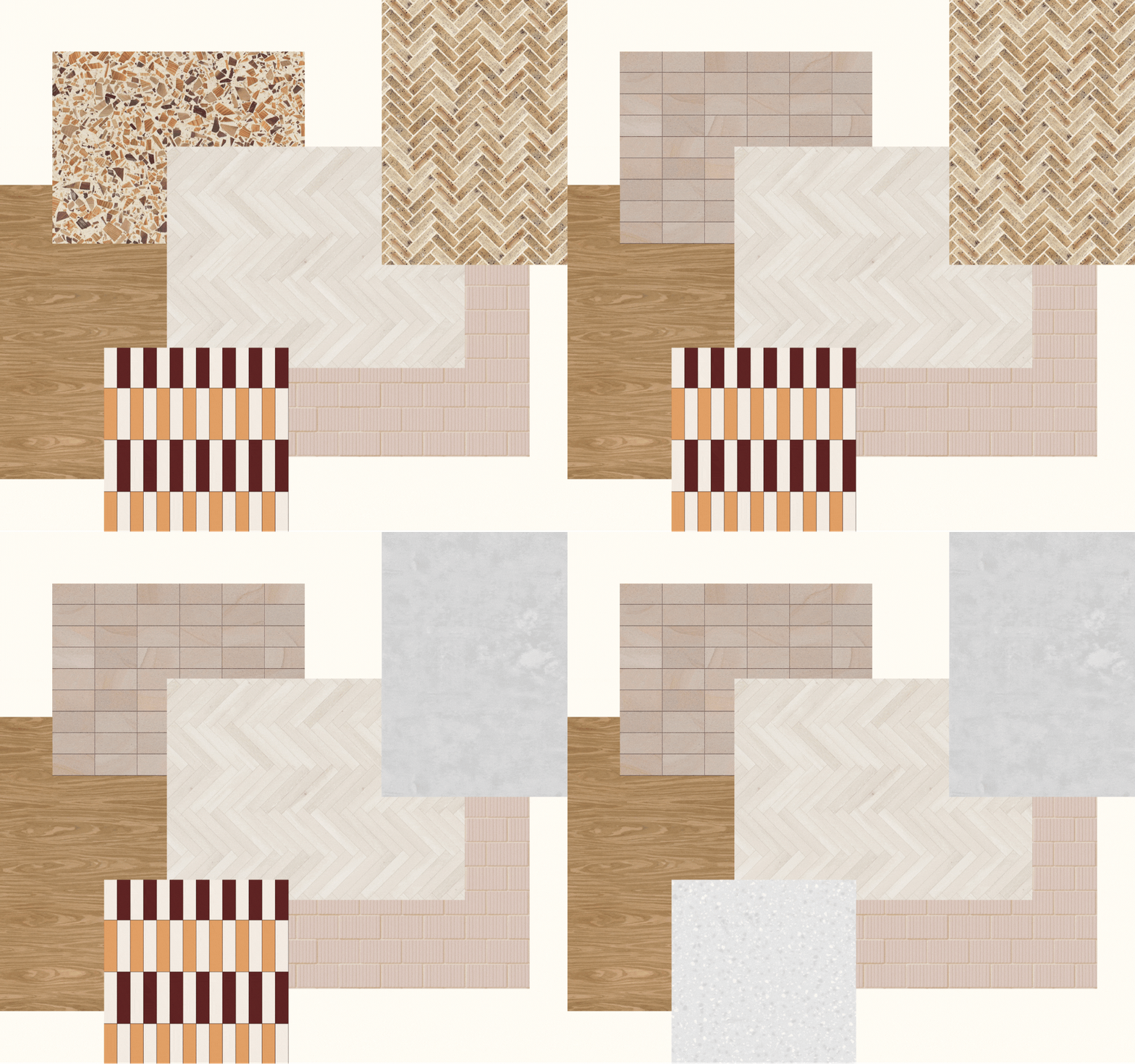
Seamless JPEG textures compatible with multiple design software platforms
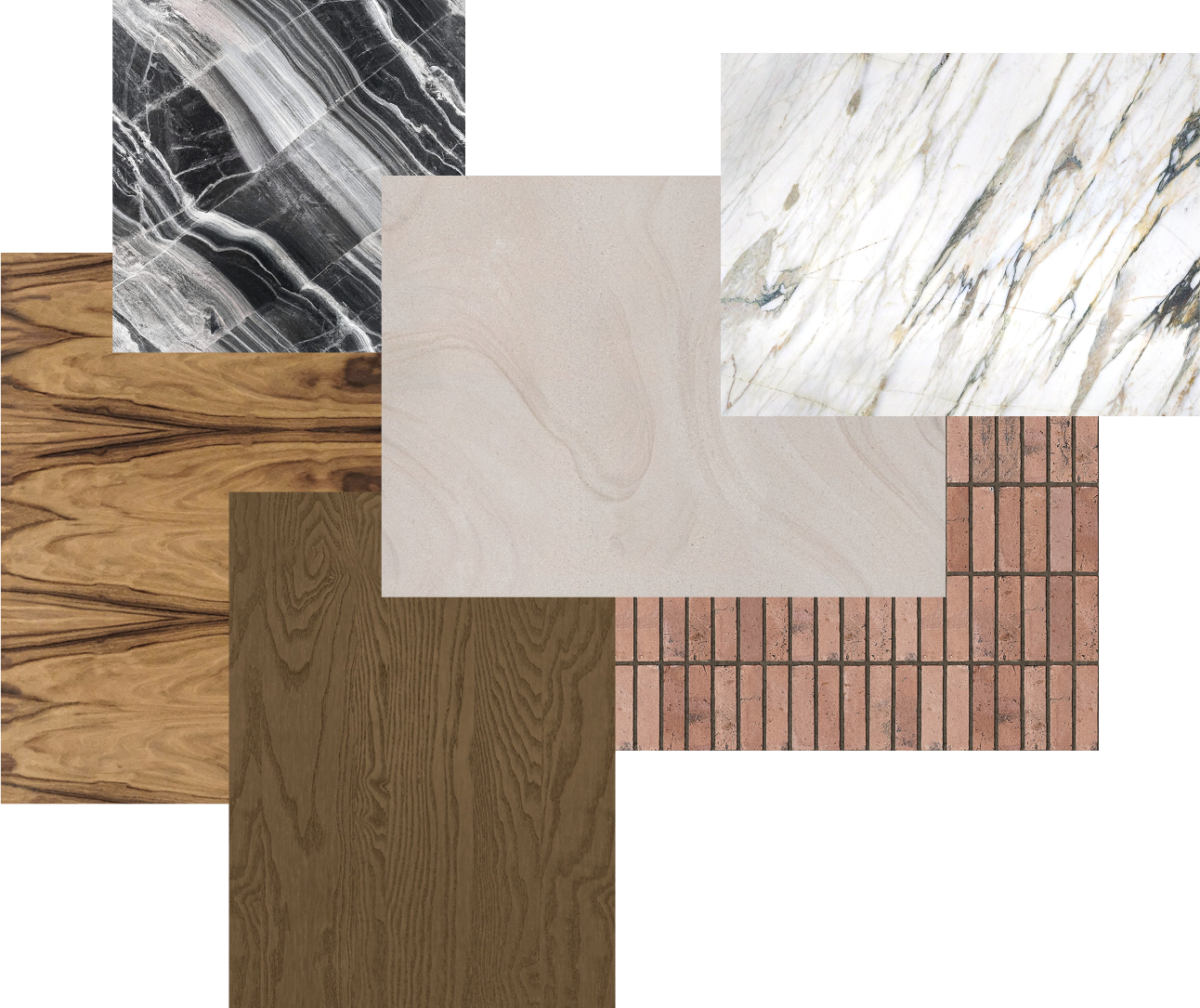
[03]
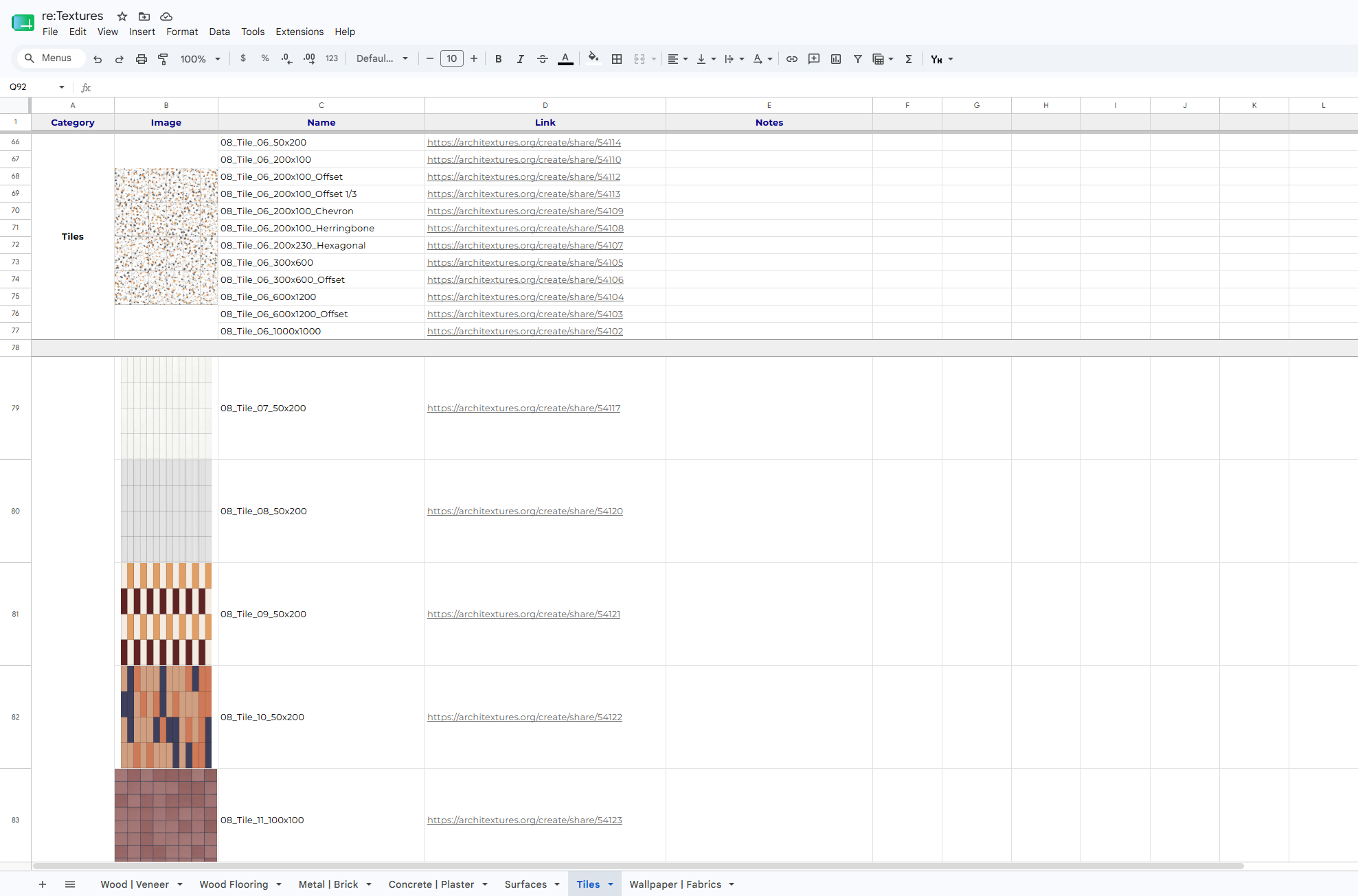
Аn easy-to-use Google Spreadsheet for instant searching and editing directly via the Architextures website
Watch a quick overview:
[04]
Tutorial
A detailed video on editing and creating your own textures and materials.
After completing it, you will learn how to:
Set up textures via Architextures website and configure materials in Revit

Combine different materials with a single click (especially useful for tiles and parquet)
Customize edges and surface finishes
Easily edit joints (adjusting color, thickness, and more)
Set up patterns in the required dimensions to perfectly match JPEG textures
How it works
STEP 1
Download materials file and textures. Place them into your designated folder.


STEP 2
Bring ready-made materials straight into your projects!
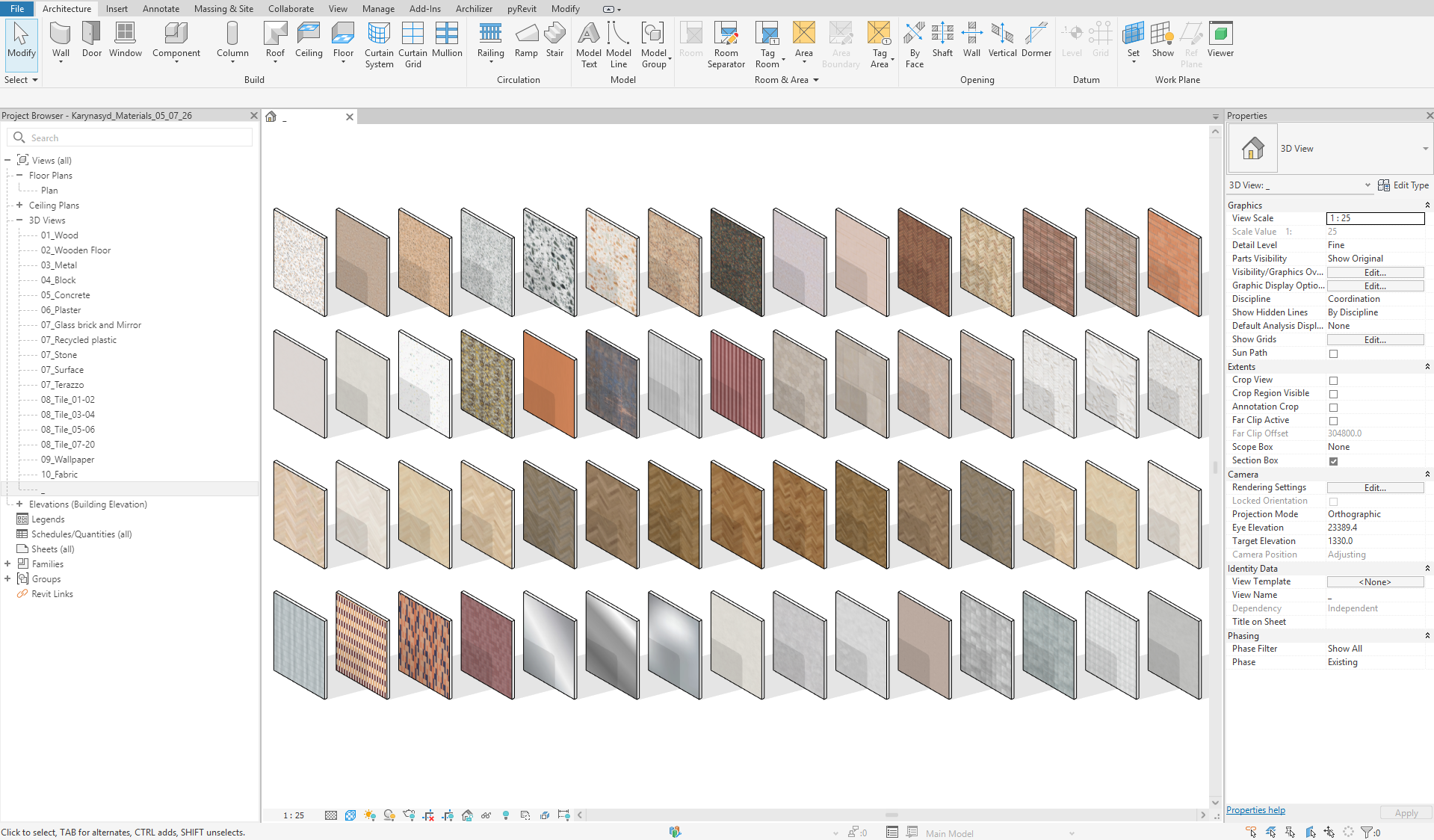
STEP 3
To edit or create new textures, find what you need in our user-friendly spreadsheet.
STEP 4
Jump straight to editing on Architextures instead of creating textures from scratch.
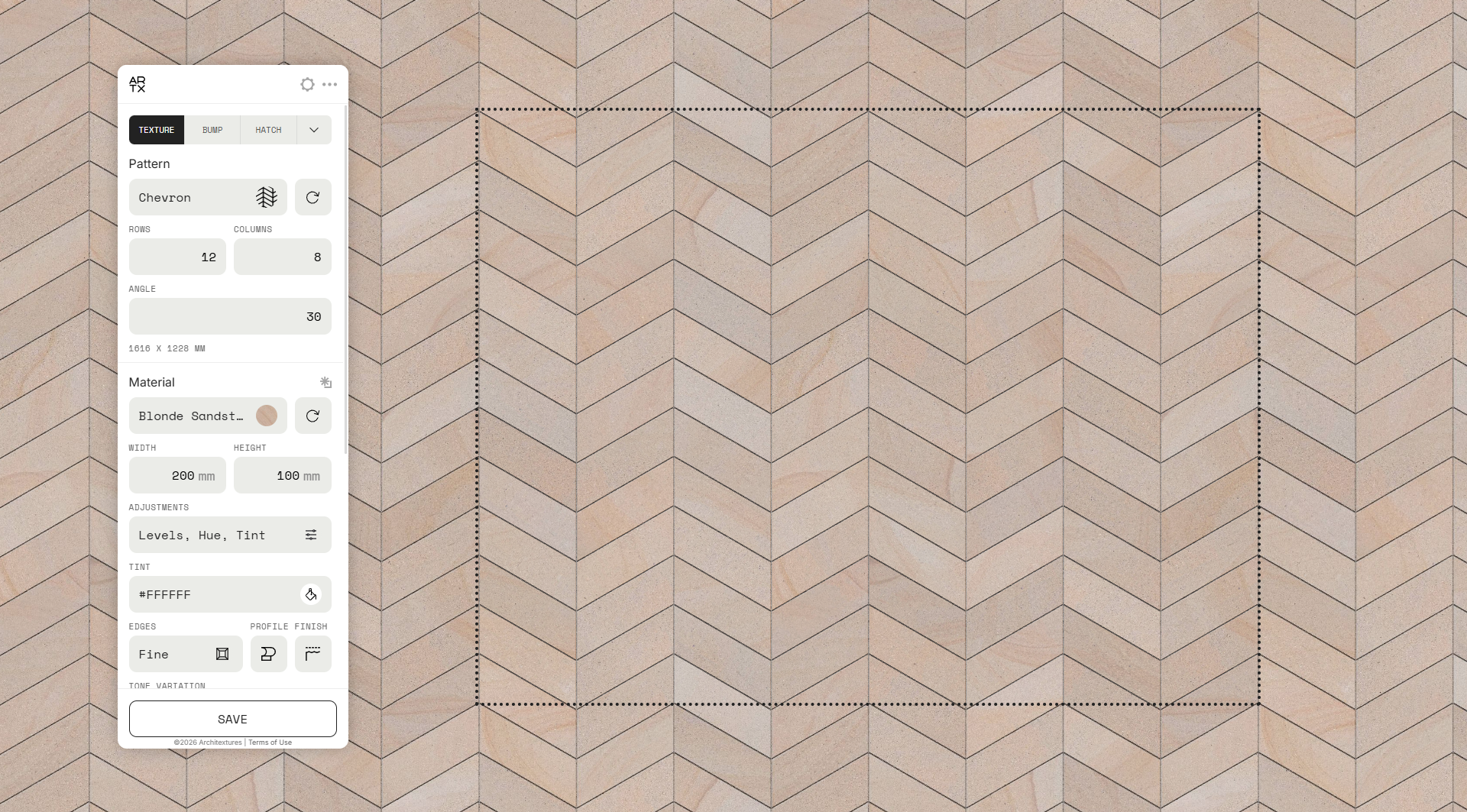
STEP 5
Easily create new materials with your own textures based on ready-made ones.
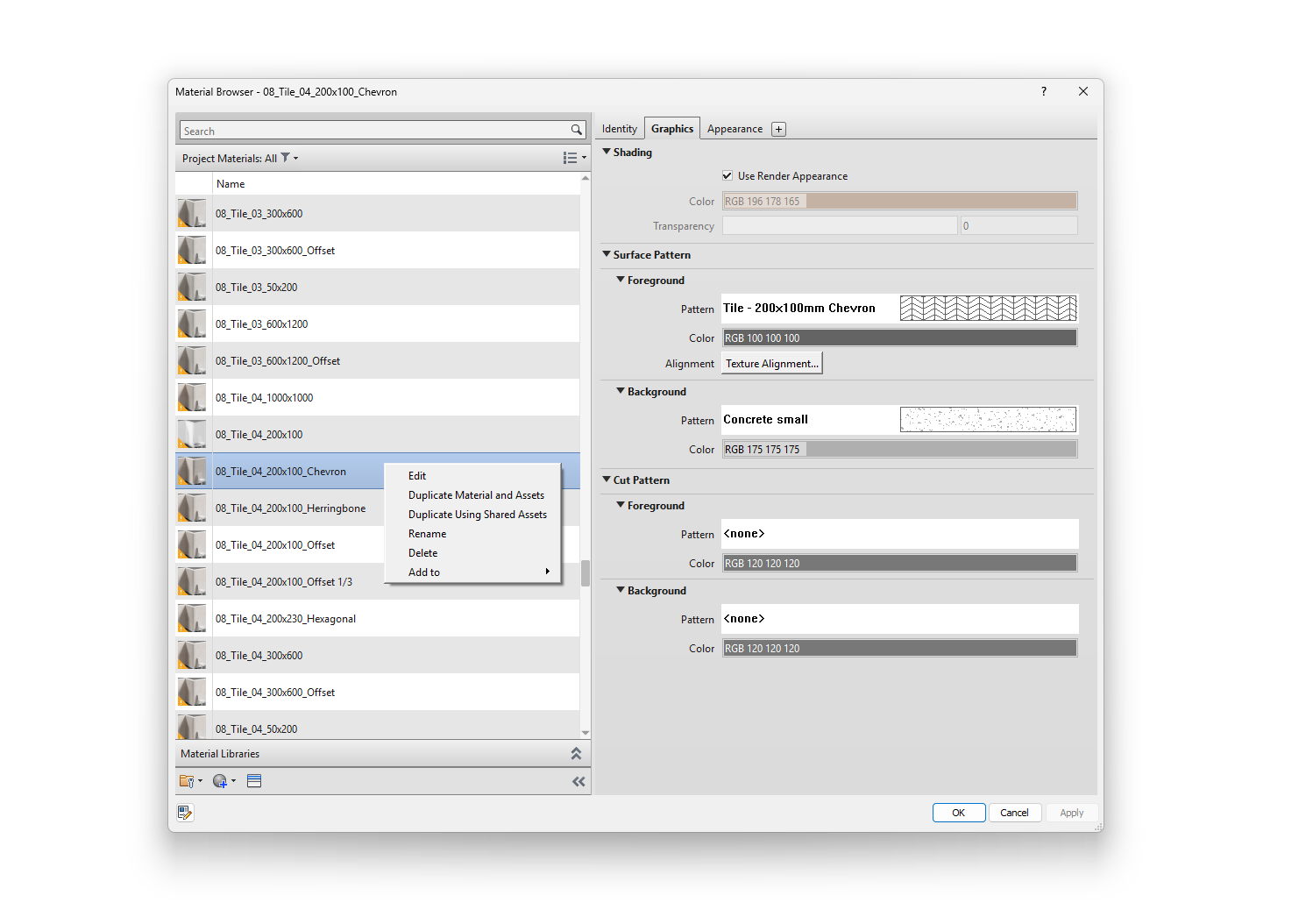
STEP 6
Enjoy the process and use them in your designs!
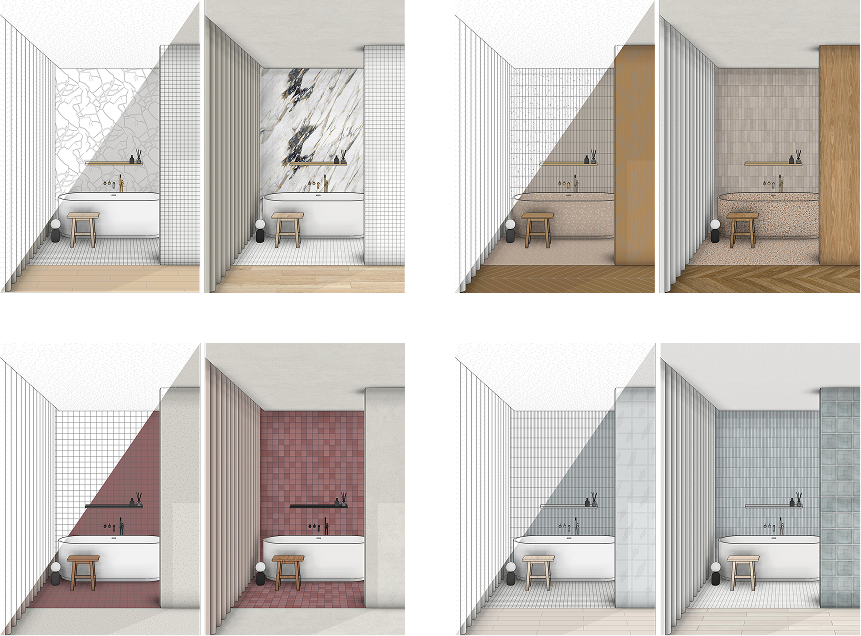

A detailed video tutorial is included to guide you through every step of the process.
TRY IT FOR FREE
Get 30 seamless textures, ready-made materials, and a quick-start spreadsheet to test the set
Download now
re:Views
User Reviews & Experiences

Iryna
🇨🇦
It was incredibly useful to learn how to create custom textures and properly texture models in Revit! This product helped me diversify my portfolio, and now I complete my projects much faster. Thank you so much!
FAQ


300+ materials to start.
Unlimited materials after the tutorial
$49.99
Get the full pack
Socials:


This product/website is independently developed and is not affiliated with, endorsed, sponsored, or approved by Autodesk, Inc. or Architextures (ARTX). "Autodesk®" and "Revit®" are trademarks or registered trademarks of Autodesk, Inc. in the USA and/or other countries. "Architextures®" is a trademark or registered trademark of its respective owner. Please note that commercial use of textures generated via the Architextures website requires a paid Pro subscription, subject to the official Architextures Terms of Use (currently $7.99/month).
© 2025 - 2026 | Sole Proprietor: Karyna Filonova | Tax ID: 3488902962

Discover re:Textures
Effortless work
with materials in Revit
300+ ready-made Revit materials & tutorial
$49.99

Get the full pack
What if your Revit model could speak for itself?
Easily configure materials in Revit

Mix and match different materials with a single click
Quickly create and edit textures using the Architextures website
Customize edges and surface finishes
Match pattern dimensions perfectly to JPEG textures
Adjust joints
no subscription, lifetime access
Made with re:Textures
What's Inside?
[01]
300+ ready-to-use Revit materials, fully configured for different model Visual Styles
[02]
Seamless JPEG textures compatible with multiple design software platforms
[03]
Аn easy-to-use Google Spreadsheet for instant searching and editing directly via the Architextures website
Watch a quick overview:
[04]
Tutorial
A detailed video on editing and creating your own textures and materials.
After completing it, you will learn how to:
Set up textures via Architextures website and configure materials in Revit

Combine different materials with a single click (especially useful for tiles and parquet)
Customize edges and surface finishes
Easily edit joints (adjusting color, thickness, and more)
Set up patterns in the required dimensions to perfectly match JPEG textures
How it works
STEP 1
Download materials file and textures. Place them into your designated folder.

STEP 2
Bring ready-made materials straight into your projects!
STEP 3
To edit or create new textures, find what you need in our user-friendly spreadsheet.
STEP 4
Jump straight to editing on Architextures instead of creating textures from scratch.
STEP 5
Easily create new materials with your own textures based on ready-made ones.
STEP 6
Enjoy the process and use them in your designs!
A detailed video tutorial is included to guide you through every step of the process.
TRY IT FOR FREE
Get 30 seamless textures, ready-made materials, and a quick-start spreadsheet to test the set
Download now
re:Views
User Reviews & Experiences
Iryna
🇨🇦
It was incredibly useful to learn how to create custom textures and properly texture models in Revit! This product helped me diversify my portfolio, and now I complete my projects much faster. Thank you so much!
FAQ


300+ materials to start.
Unlimited materials after the tutorial
$49.99
Get the full pack
Socials:
This product/website is independently developed and is not affiliated with, endorsed, sponsored, or approved by Autodesk, Inc. or Architextures (ARTX). "Autodesk®" and "Revit®" are trademarks or registered trademarks of Autodesk, Inc. in the USA and/or other countries. "Architextures®" is a trademark or registered trademark of its respective owner. Please note that commercial use of textures generated via the Architextures website requires a paid Pro subscription, subject to the official Architextures Terms of Use (currently $7.99/month).
© 2025 - 2026 | Sole Proprietor: Karyna Filonova | Tax ID: 3488902962
Discover re:Textures
Effortless work
with materials in Revit
300+ ready-made Revit materials & tutorial
$49.99

Get the full pack
What if your Revit model could speak for itself?
Easily configure materials in Revit

Quickly create and edit textures using the Architextures website
Mix and match different materials with a single click
Customize edges and surface finishes
Adjust joints
Match pattern dimensions perfectly to JPEG textures
no subscription, lifetime access
Made with re:Textures
What's Inside?
[01]
300+ ready-to-use Revit materials, fully configured for different model Visual Styles
[02]
Seamless JPEG textures compatible with multiple design software platforms
[03]
Аn easy-to-use Google Spreadsheet for instant searching and editing directly via the Architextures website
Watch a quick overview:
[04]
Tutorial
A detailed video on editing and creating your own textures and materials.
After completing it, you will learn how to:
Set up textures via Architextures website and configure materials in Revit

Combine different materials with a single click (especially useful for tiles and parquet)
Customize edges and surface finishes
Easily edit joints (adjusting color, thickness, and more)
Set up patterns in the required dimensions to perfectly match JPEG textures
How it works
STEP 1
Download materials file and textures. Place them into your designated folder.
STEP 2
Bring ready-made materials straight into your projects!
STEP 3
To edit or create new textures, find what you need in our user-friendly spreadsheet.
STEP 4
Jump straight to editing on Architextures instead of creating textures from scratch.
STEP 5
Easily create new materials with your own textures based on ready-made ones.
STEP 6
Enjoy the process and use them in your designs!
A detailed video tutorial is included to guide you through every step of the process.
re:Views
User Reviews & Experiences
Iryna
🇨🇦
It was incredibly useful to learn how to create custom textures and properly texture models in Revit! This product helped me diversify my portfolio, and now I complete my projects much faster. Thank you so much!
FAQ


300+ materials to start.
Unlimited materials after the tutorial
Get the full pack
$49.99
TRY IT FOR FREE
Socials:
This product/website is independently developed and is not affiliated with, endorsed, sponsored, or approved by Autodesk, Inc. or Architextures (ARTX). "Autodesk®" and "Revit®" are trademarks or registered trademarks of Autodesk, Inc. in the USA and/or other countries. "Architextures®" is a trademark or registered trademark of its respective owner. Please note that commercial use of textures generated via the Architextures website requires a paid Pro subscription, subject to the official Architextures Terms of Use (currently $7.99/month).
© 2025 - 2026 | Sole Proprietor: Karyna Filonova | Tax ID: 3488902962